
Convert YouTube to M4A Online: Top 5 Tools You Must Consider
- 5 Best and Free M4A YouTube Converter Tools
- Bonus Tip: Transcribe YouTube Videos for Easier M4A Listening and Reading
- FAQs about M4A YouTube Converters
5 Best and Free M4A YouTube Converter Tools
To make the selection process easier for you when choosing the best M4A YouTube converter, this post features each tool with a brief description in the table explaining what it offers, along with its pros and cons. With this, you can set your expectations about what each tool can and cannot do. So without further ado, start exploring the list below.
1. AM4A
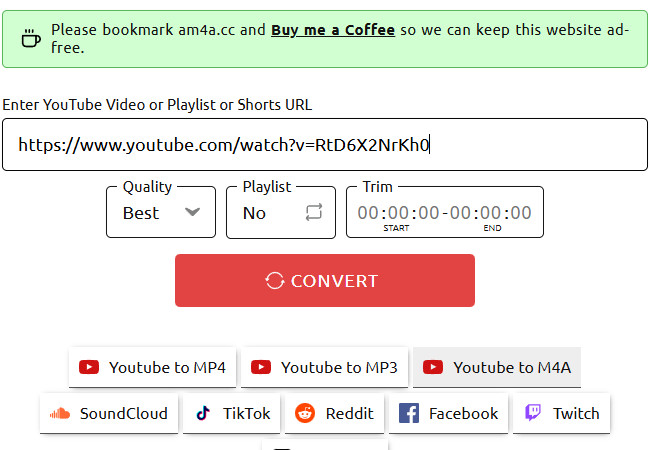
The first tool you can try as an M4A YouTube converter is AM4A. This web-based tool enables you to convert any YouTube video into an audio file in M4A format. Now, compared to other converter tools online, this one offers extra features that can help you gain more control over the output. These features include an option to choose the output quality from best to worst and an option to trim a YouTube video when working with playlists.
Pros
- Easy to use.
- An ad-free tool with an intuitive interface.
- Provides extra options to give you control over the output.
- Delivers high-quality output in an M4A file format.
Cons
- It isn’t always able to convert YouTube to M4A, especially when the queue is full.
- Won’t let you convert YouTube content with a duration of 240 minutes.
2. Evano
If you can’t complete the conversion process with AM4A because the queue is full, you can use Evano as an online YouTube to M4A converter alternative. Similar to AM4A, this tool also offers an uncomplicated conversion process; just provide the YouTube video link, and it will handle the rest for you. The difference is that this one offers different M4A versions. You can choose between medium and low quality, depending on your preferences. Nevertheless, this tool still provides excellent output.

Pros
- Intuitive and ad-free interface.
- Offers fast conversion.
- Delivers M4A outputs in different quality levels.
- Provides other audio formats to choose from aside from M4A: MP3, AAC, and more.
Cons
- Often fails to download the output due to a full queue.
- The download process takes a lot of time to start.
3. Dubs.io
If both of the first two tools fail to help you convert YouTube to M4A online, you should try Dubs.io instead. This browser-based tool also offers a straightforward conversion process similar to the previously mentioned tools: you provide the link, and the tool will automatically convert it into an M4A file. What sets this tool apart is that it is a much more reliable solution. Although the first two work regardless of whether the queue is full.

Pros
- Simple interface with no annoying ads.
- Straightforward conversion process.
- Delivers M4A output quickly and in great quality.
- Doesn’t come with any limitations.
Cons
- It doesn’t show a preview of the output file size.
- Lacks the option to trim the YouTube video before converting and exporting it as an M4A file.
4. AnyUkit
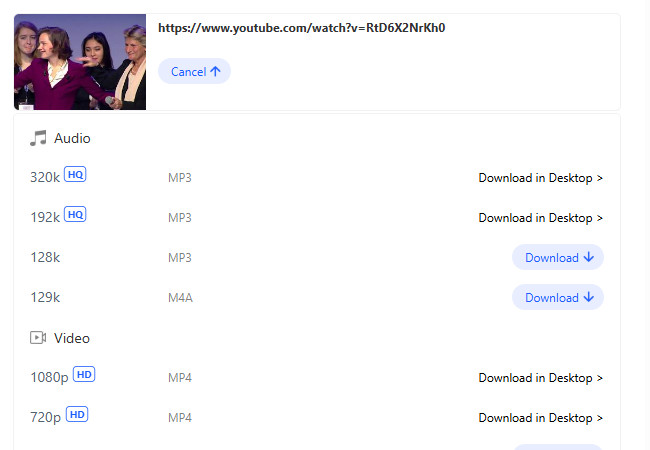
You should also try AnyUkit as an M4A YouTube converter. When it comes to a reliable solution, this one is definitely among the top choices. It offers a straightforward conversion with no bothersome ads on its interface. Unlike Dubs.io, this tool lets you see the file size of the M4A audio before exporting it. This way, you can check how much storage space the file will consume on your device. Moreover, this tool also supports a desktop version, which is a great option for a more reliable conversion.
Pros
- Simple interface with an uncomplicated conversion process.
- It doesn’t contain any bothersome ads on its interface, even after clicking a button.
- Delivers excellent output quality.
Cons
- It won’t let you download the M4A file if the server is currently overloaded.
- There are times when the tool requires you to install its desktop version.
5. TubeRipper
The last M4A YouTube converter tool that is also worth trying is TubeRipper. This tool is also somewhat similar to the tools featured earlier. After providing the YouTube link, this tool will automatically convert it into a media file and let you choose M4A as the export format, allowing you to export it right away. What sets this apart from the others is that it offers detailed quality options; you can see the output’s sample rate (kHz) and file size, which helps compare the quality differences of each output and know their sizes.

Pros
- Supports an intuitive interface with easy-to-initiate conversion.
- Offers multiple output formats except for M4A, with varying file sizes and quality.
- Delivers a fast conversion process.
Cons
- Lacks extra features compared to other tools.
- May require additional steps for optimal quality settings.
- Displays ads after clicking buttons.
Bonus Tip: Transcribe YouTube Videos for Easier M4A Listening and Reading
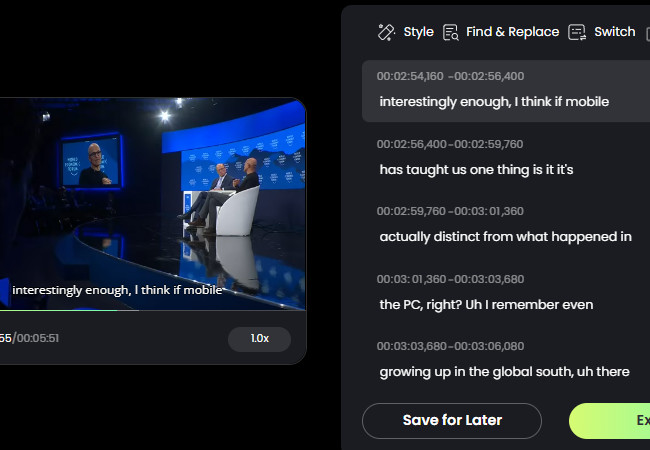
There you have it! Those are the top five best web-based M4A YouTube converter tools that you can use to convert any of your YouTube videos into an M4A audio file. Once you have the M4A version, this post suggests transcribing the same video using RecCloud’s Free YouTube Transcript Generator, so you can follow along with a transcript while listening. This web-based tool can transform any YouTube video into text with 98% accuracy. With it, you can get a transcript version of the video, which you can read while listening to the M4A version (also take notes). This would be a great solution if you are a student or educator who wants to easily enhance learning by listening and following along while reading.
Key Features
- Automatically transcribe YouTube videos using a link.
- Generate an editable transcript with precise timestamps.
- Translate the transcript into various languages: Chinese, French, German, and more.
- Edit the generated transcript and its timestamps to enhance accuracy.
- Export the video with embedded subtitles or export the transcript only as an SRT file.
FAQs about M4A YouTube Converters
1. Are M4A files better than MP3 for YouTube audio?
Yes. M4A (AAC) delivers higher audio quality at smaller file sizes compared to MP3. This means you get clearer sound while saving storage space, which is especially useful for long videos, podcasts, or music collections.
2. What devices can play M4A files from YouTube converters?
Most modern devices, including Windows PCs, Mac computers, iPhones, iPads, and Android phones, can play M4A files without extra software. Some older devices may only support MP3, so check compatibility if you plan to use legacy hardware.
3. How can I use a transcript with M4A audio for studying?
After converting a video to M4A, you can generate a transcript using RecCloud’s Free YouTube Transcript Generator. This allows you to read along while listening, take notes, or even translate the transcript into other languages. It’s a practical workaround for students, educators, or anyone who wants to learn efficiently.
Conclusion
Using an M4A YouTube converter makes it easy to save videos as high-quality audio files without taking up too much space. The top tools in this post, like AM4A, Evano, Dubs.io, AnyUkit, and TubeRipper, help you convert quickly and reliably. You can also use RecCloud’s Free YouTube Transcript Generator to read along while listening, which is great for studying, note-taking, or enjoying content more effectively. With these tools, you can enjoy your favorite YouTube audio anytime, anywhere, while keeping your device organized and efficient.


Leave a Comment