
How to Convert or Save YouTube Shorts to MP4 (5 Easy Tools)
- Tips for Choosing the Best YouTube Shorts to MP4 Converter
- Best Tool to Convert YouTube Shorts to MP4 with Translation [with High Quality]
- Other Free Tools to Save or Convert YT Shorts to MP4
- FAQs about YouTube Shorts to MP4
Tips for Choosing the Best YouTube Shorts to MP4 Converter
Before diving into this post’s five best YouTube Shorts to MP4 tools, it helps to know a few key tips. Choosing the right web-based converter can save you time and frustration. With so many options available, these simple pointers will make the process quick and hassle-free.
- Speed and reliability: Look for a tool that converts videos fast and doesn’t crash halfway through. A slow or unstable converter can turn a five-minute job into a frustrating wait.
- Output quality: Make sure the MP4 keeps the original resolution and audio is clear. Some converters shrink the file or lower the quality, which can make it harder to watch or edit later.
- Ease of use: A clean, simple interface saves time and avoids confusion. Tools with cluttered menus or endless pop-ups can make the process unnecessarily complicated.
- Limitations: Check if the tool adds watermarks, limits file size, or restricts daily conversions. Knowing this upfront helps you avoid surprises in the middle of your work.
- Device compatibility: Test whether the converter works well on both desktop and mobile. Some websites are smooth on a computer but buggy on a phone, and vice versa.
Best Tool to Convert YouTube Shorts to MP4 with Translation [with High Quality]
The first tool you can use to convert YouTube Shorts to MP4 is RecCloud’s professional Free YouTube Video Translator. This web-based tool lets you convert any YouTube Shorts to MP4 by importing its URL and exporting it as an MP4 file. What makes this tool amazing is that, even though it doesn’t offer quality options like most other tools, it preserves the original quality of the Shorts video. This means if the YouTube Shorts video you want to convert or save as an MP4 is high quality, you will get the same quality after exporting. Another reason this tool is worth trying is that it lets you translate any YouTube Shorts content into your preferred language. This is especially useful if you plan to cross-post it on other sites to improve accessibility or want to watch a YouTube Shorts video in your own language. It supports over 100 languages with context-aware, accurate, and natural-sounding translations.
Here’s how you can use it:
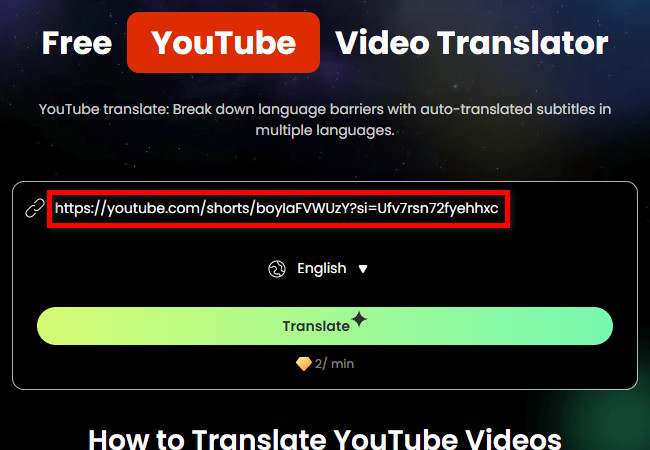
- Visit RecCloud’s professional Free YouTube Video Translator website and paste the YouTube Shorts link to its URL input field that you wish to save as an MP4 file.
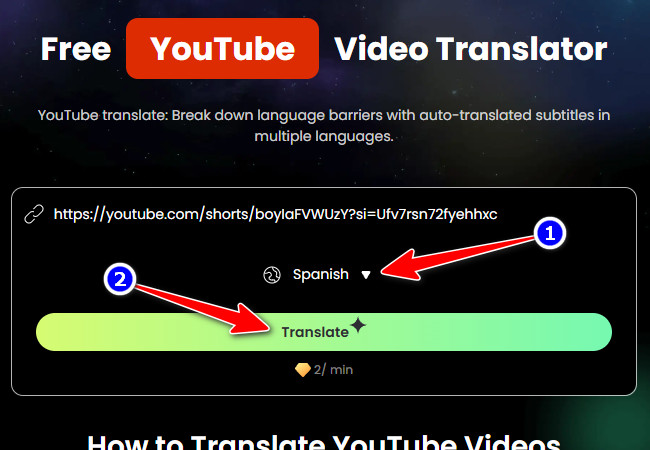
- Next, click the “Language” dropdown button and select the language you wish to translate the YouTube Shorts content. Then, click “Translate” to start the translation process.
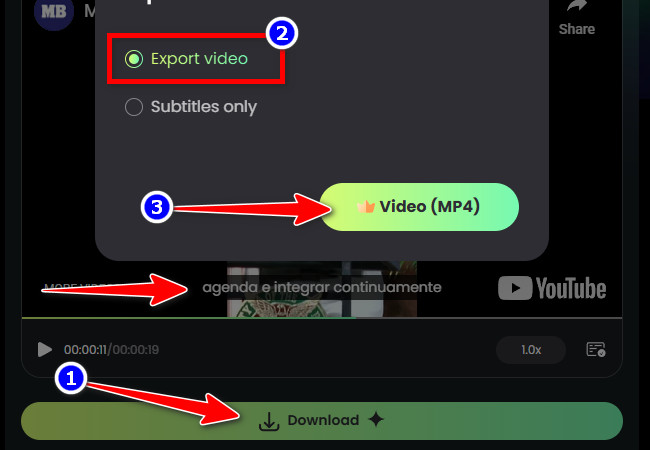
- Once the translation is finished (the Shorts will automatically have accurate subtitles in your language), click the “Download” button, select “Export video”, and choose “Video (MP4)” to save and convert the translated YouTube Shorts as an MP4 file.
Other Free Tools to Save or Convert YT Shorts to MP4
Aside from the tool mentioned earlier, you can also use these four tools to convert YT Shorts to MP4. Explore each one and see which works best for you.
1. SaveFrom
Another web-based tool you can use to convert YouTube Shorts to MP4 is SaveFrom. The same goes for the first tool, as this one also lets you save any YouTube Shorts as an MP4 video file. What makes it different is that it does not support translation, but it does offer MP4 quality options, ranging from the original video quality down to 360p. If that is a plus for you, you still need to consider some limitations of this tool.
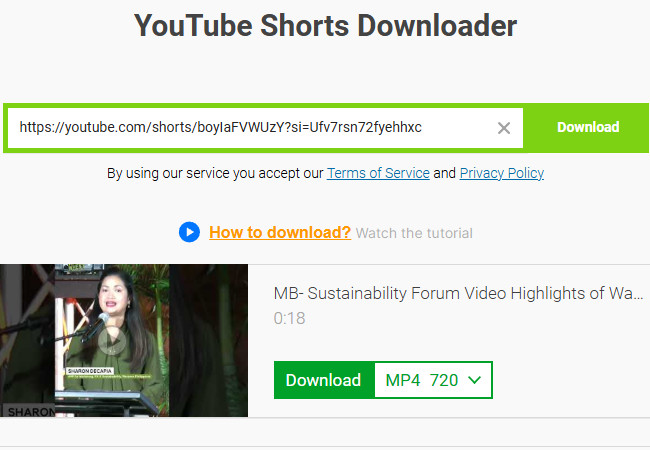
Limitations:
- It does not contain any ads within its interface; however, clicking a button opens a new tab for advertisements.
- It takes a long time to process the YouTube Shorts video before it allows you to download it.
2. Publer
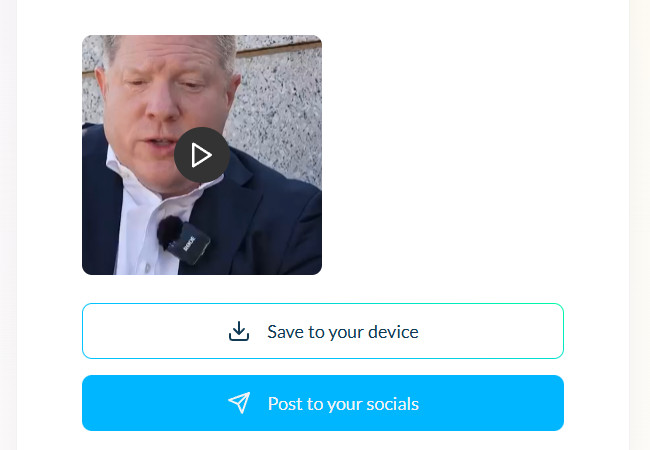
Apart from SaveFrom, Publer is also a great option to use for saving YouTube Shorts to MP4. It follows the same process as SaveFrom; you paste the Shorts content link, let the tool process it, and once done, you can download it right away as an MP4 file. What sets this tool apart from the rest is that it supports an option that lets you cross-post the MP4 version of the Shorts to your social media accounts. With that, it will be easier for you to crosspost any Shorts! Additionally, unlike SaveFrom, this tool does not contain any ads at all.
Limitations:
- It does not offer any option to choose your preferred output quality.
- Requires you to log in to an account before you can use the feature to post the YT Shorts MP4 version.
3. Seekin
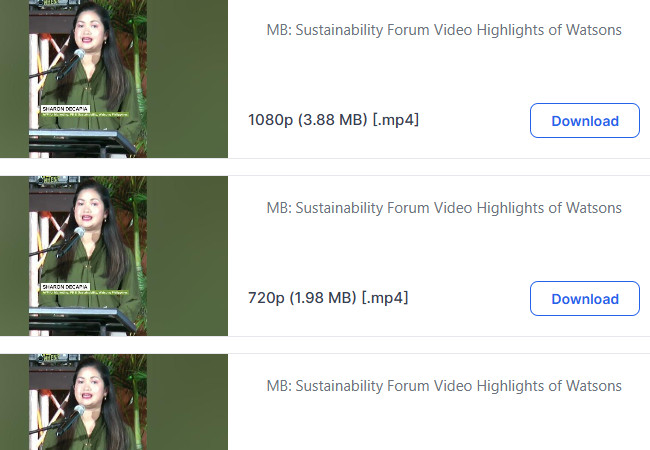
If there are many YouTube Shorts you want to save as MP4 files while also saving space on your device, you can use Seekin. This web-based tool lets you turn any Shorts content into MP4. It helps save space by offering various MP4 options with different quality levels and file sizes. With this, you can choose a lower-quality MP4 version of the Shorts to save space or keep the original quality if you prefer not to compromise it. This YouTube Shorts to MP4 converter also processes quickly!
Limitations:
- It does not directly download the MP4 video; you still need to get it from the new tab.
4. TurboScribe
The last online tool this post would like to recommend is TurboScribe. It follows the same process as the tools mentioned earlier. You provide the YouTube Shorts link, and the tool creates an MP4 version right away. It doesn’t offer quality or file size options like Seekin, but it preserves the original quality of the Shorts content. Like the YouTube Shorts to MP4 converter tools above, this one also offers an intuitive interface, making the conversion process easy and fast.

Limitations:
- It doesn’t download the MP4 video directly; you have to retrieve it from the new tab.
FAQs about YouTube Shorts to MP4
1. Is it legal to convert YouTube Shorts to MP4?
Downloading or converting YouTube videos for personal use is generally fine, but redistributing or reposting copyrighted content without permission can violate YouTube’s terms of service. Always make sure to respect copyright laws and use the MP4 files responsibly.
2. Can I convert Shorts to MP4 on my phone?
Yes. All the tools featured in this post are web-based, so you can use them on both mobile and desktop browsers. Just make sure your browser supports video downloads and that your phone has enough storage for the MP4 files.
3. Will converting a YouTube Short reduce its video quality?
It depends on the tool you use. Some converters like RecCloud and TurboScribe preserve the original quality, while others may compress the video to reduce file size, so always check the quality options before downloading.
Conclusion
There you have it! Those are the top web-based tools to convert YouTube Shorts to MP4 quickly and easily. With RecCloud and the other four options, you can save Shorts while preserving video quality and even translate or share them if needed. Each tool has unique features, so picking the right one depends on your specific needs. Following the tips shared earlier will make the conversion process smooth and hassle-free. Now, you can enjoy your favorite Shorts offline, edit them, or post them across platforms anytime.



Leave a Comment