
'%20stroke-opacity='0.2'%20stroke-width='2'/%3e%3cpath%20d='M3.11592%2019.2884C1.75802%2014.0938%204.86823%208.78202%2010.0628%207.42412L31.7476%201.75552C33.7413%201.23434%2035.8588%201.49254%2037.6689%202.47756L45.1886%206.5697C47.5462%207.85267%2049.2684%2010.0533%2049.9473%2012.6501L57.5913%2041.8917C58.9492%2047.0862%2055.839%2052.398%2050.6444%2053.7559L23.9954%2060.7222C18.8008%2062.0801%2013.489%2058.9699%2012.1311%2053.7754L3.11592%2019.2884Z'%20stroke='url(%23paint1_linear_54018_1330)'%20stroke-width='4'/%3e%3cpath%20d='M3.1208%2019.2884C1.7629%2014.0938%204.87311%208.78202%2010.0677%207.42412L31.7524%201.75552C33.7462%201.23434%2035.8636%201.49254%2037.6737%202.47756L45.1935%206.5697C47.5511%207.85267%2049.2733%2010.0533%2049.9522%2012.6501L57.5962%2041.8917C58.9541%2047.0862%2055.8439%2052.398%2050.6493%2053.7559L24.0002%2060.7222C18.8057%2062.0801%2013.4939%2058.9699%2012.136%2053.7754L3.1208%2019.2884Z'%20fill='%235B5B5B'/%3e%3cpath%20d='M31.7516%201.75597C33.7454%201.23478%2035.8633%201.49203%2037.6734%202.47705L45.1931%206.5696C47.505%207.82776%2049.2028%209.96938%2049.9079%2012.5007L41.6862%2014.6499C38.2233%2015.5551%2034.6819%2013.4821%2033.7765%2010.0193L31.625%201.78906L31.7516%201.75597Z'%20fill='%23CEFFD2'%20fill-opacity='0.3'/%3e%3cpath%20d='M38.6744%2029.5512C40.6539%2030.0946%2041.3029%2032.5771%2039.8425%2034.0198L31.0802%2042.6757C29.6198%2044.1184%2027.1453%2043.4391%2026.6261%2041.4531L23.5111%2029.5367C22.9919%2027.5506%2024.8174%2025.7473%2026.7969%2026.2907L38.6744%2029.5512Z'%20fill='url(%23paint2_linear_54018_1330)'/%3e%3cdefs%3e%3clinearGradient%20id='paint0_linear_54018_1330'%20x1='14.2197'%20y1='34.6499'%20x2='62.8873'%20y2='40.1141'%20gradientUnits='userSpaceOnUse'%3e%3cstop%20stop-color='%23D6FB72'/%3e%3cstop%20offset='1'%20stop-color='%2376F9B1'/%3e%3c/linearGradient%3e%3clinearGradient%20id='paint1_linear_54018_1330'%20x1='7.62353'%20y1='36.5319'%20x2='55.4562'%20y2='29.4896'%20gradientUnits='userSpaceOnUse'%3e%3cstop%20stop-color='%23D6FB72'/%3e%3cstop%20offset='1'%20stop-color='%2376F9B1'/%3e%3c/linearGradient%3e%3clinearGradient%20id='paint2_linear_54018_1330'%20x1='30.5755'%20y1='24.9296'%20x2='32.6408'%20y2='42.908'%20gradientUnits='userSpaceOnUse'%3e%3cstop%20stop-color='%23D6FB72'/%3e%3cstop%20offset='1'%20stop-color='%2376F9B1'/%3e%3c/linearGradient%3e%3c/defs%3e%3c/svg%3e)
Drag and Drop files to upload or
'%20stroke='%232D2D33'%20stroke-width='3'/%3e%3cpath%20d='M9.86621%2012.8366L13.9744%208.91127L18.1435%2012.8976M13.8403%209.92308L13.9134%2019.0781'%20stroke='%232D2D33'%20stroke-width='3'%20stroke-linecap='round'%20stroke-linejoin='round'/%3e%3c/svg%3e) Browse
BrowseFrom Spanish audio to English captions, no timeline editing required.
Upload Video
Import your Spanish video file. RecCloud detects the spoken language and prepares it for transcription—no need to upload a subtitle file first.
Review Translation
The system converts Spanish speech into English subtitles. You can adjust wording, fix names, and control line breaks before exporting.
Export Captions
Download an English SRT file or export a new video with embedded English subtitles, ready for YouTube, Instagram, or internal sharing.
Built for creators who need speed without sacrificing accuracy.
We generate English captions directly from the Spanish audio track, not from guessed text or copied subtitles. Even if your video has no captions at all, you can still add English subtitles to a Spanish video using built-in speech recognition and translation in one flow. The system adapts to different accents and fast dialogue, whether it’s a classroom lecture, a street interview, or a panel discussion.
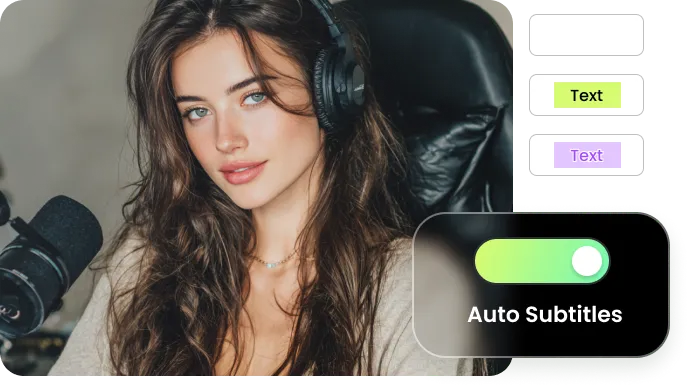
After the Spanish-to-English subtitle conversion, you can review and adjust everything inside the editor. Correct brand terminology, refine industry-specific vocabulary, and fix speaker names before exporting. If a sentence doesn’t sound natural in English, you can rewrite it directly—no need to reprocess the entire file.
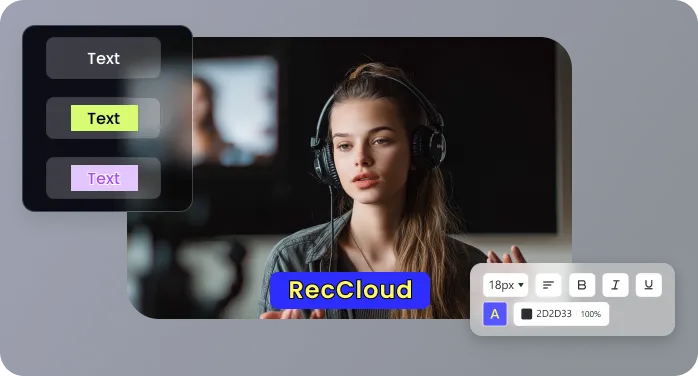
Download a clean English SRT file for YouTube or other platforms that support captions. Or export a new video with English subtitles permanently embedded. Timecodes are automatically aligned, so you don’t have to manually sync lines or adjust timestamps. Choose the format that fits how and where you plan to publish.
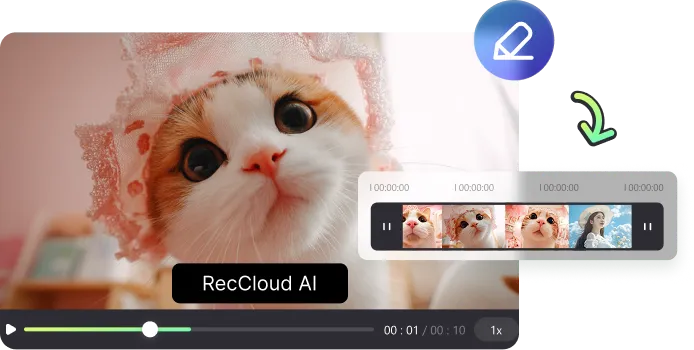
No Premiere, no Final Cut, no switching between transcription tools and translation apps. Upload once, generate English subtitles from Spanish speech, edit if needed, and download. From short clips to full-length webinars, you can handle long-form content without splitting files or juggling multiple services.
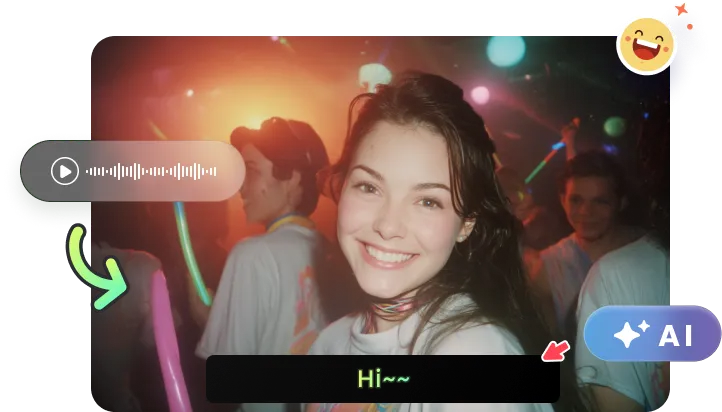
Six ways creators are using RecCloud right now.

Using RecCloud to add English subtitles to Spanish video has completely changed how I reach my U.S. audience. I film tutorials in Spanish and no longer need to record a second English version. The subtitles are accurate, and I can tweak specific phrases or brand names before publishing. It saved me hours of editing every week.

Managing bilingual marketing campaigns used to require multiple freelancers. Now I upload Spanish video content and get ready-to-use English subtitles in the same day. The editor lets me adjust industry terms and timing for each clip, which keeps our presentations professional and consistent.

As an online course creator, I needed to make Spanish lectures accessible to my English-speaking students. RecCloud allows me to add English subtitles directly from the Spanish audio. I can review each line, fix technical terms, and ensure the pacing matches the spoken content. My students can follow along much more easily now.

We produce interviews with Spanish-speaking founders and experts. Previously, translating and syncing subtitles took a full day per video. With RecCloud, we get English captions that match the dialogue perfectly, even with fast speech or overlapping speakers. The workflow is fully online, so the team can work remotely without specialized software.

Answers to the questions we get asked most often.

