
'/%3e%3cpath%20d='M6.09082%200.541992C6.30173%200.567921%206.50319%200.684808%206.62695%200.892578L7.90625%203.03809C8.11622%203.38993%208.57563%203.50073%208.92188%203.28223L10.2803%202.42578C10.775%202.11331%2011.3887%202.48047%2011.4004%203.02051V3.05176C11.3993%203.10116%2011.3932%203.15167%2011.3818%203.20312L10.3643%207.21777C10.2424%207.75962%209.7618%208.14453%209.20703%208.14453H6V0.536133L6.09082%200.541992Z'%20fill='%23FF883F'%20fill-opacity='0.7'/%3e%3cdefs%3e%3clinearGradient%20id='paint0_linear_55383_6832'%20x1='0.600098'%20y1='4.34016'%20x2='8.39667'%20y2='9.17921'%20gradientUnits='userSpaceOnUse'%3e%3cstop%20stop-color='%23FFE4BC'/%3e%3cstop%20offset='1'%20stop-color='%23FFBF69'/%3e%3c/linearGradient%3e%3c/defs%3e%3c/svg%3e)
'%20stroke-opacity='0.2'%20stroke-width='2'/%3e%3cpath%20d='M3.11592%2019.2884C1.75802%2014.0938%204.86823%208.78202%2010.0628%207.42412L31.7476%201.75552C33.7413%201.23434%2035.8588%201.49254%2037.6689%202.47756L45.1886%206.5697C47.5462%207.85267%2049.2684%2010.0533%2049.9473%2012.6501L57.5913%2041.8917C58.9492%2047.0862%2055.839%2052.398%2050.6444%2053.7559L23.9954%2060.7222C18.8008%2062.0801%2013.489%2058.9699%2012.1311%2053.7754L3.11592%2019.2884Z'%20stroke='url(%23paint1_linear_54018_1330)'%20stroke-width='4'/%3e%3cpath%20d='M3.1208%2019.2884C1.7629%2014.0938%204.87311%208.78202%2010.0677%207.42412L31.7524%201.75552C33.7462%201.23434%2035.8636%201.49254%2037.6737%202.47756L45.1935%206.5697C47.5511%207.85267%2049.2733%2010.0533%2049.9522%2012.6501L57.5962%2041.8917C58.9541%2047.0862%2055.8439%2052.398%2050.6493%2053.7559L24.0002%2060.7222C18.8057%2062.0801%2013.4939%2058.9699%2012.136%2053.7754L3.1208%2019.2884Z'%20fill='%235B5B5B'/%3e%3cpath%20d='M31.7516%201.75597C33.7454%201.23478%2035.8633%201.49203%2037.6734%202.47705L45.1931%206.5696C47.505%207.82776%2049.2028%209.96938%2049.9079%2012.5007L41.6862%2014.6499C38.2233%2015.5551%2034.6819%2013.4821%2033.7765%2010.0193L31.625%201.78906L31.7516%201.75597Z'%20fill='%23CEFFD2'%20fill-opacity='0.3'/%3e%3cpath%20d='M38.6744%2029.5512C40.6539%2030.0946%2041.3029%2032.5771%2039.8425%2034.0198L31.0802%2042.6757C29.6198%2044.1184%2027.1453%2043.4391%2026.6261%2041.4531L23.5111%2029.5367C22.9919%2027.5506%2024.8174%2025.7473%2026.7969%2026.2907L38.6744%2029.5512Z'%20fill='url(%23paint2_linear_54018_1330)'/%3e%3cdefs%3e%3clinearGradient%20id='paint0_linear_54018_1330'%20x1='14.2197'%20y1='34.6499'%20x2='62.8873'%20y2='40.1141'%20gradientUnits='userSpaceOnUse'%3e%3cstop%20stop-color='%23D6FB72'/%3e%3cstop%20offset='1'%20stop-color='%2376F9B1'/%3e%3c/linearGradient%3e%3clinearGradient%20id='paint1_linear_54018_1330'%20x1='7.62353'%20y1='36.5319'%20x2='55.4562'%20y2='29.4896'%20gradientUnits='userSpaceOnUse'%3e%3cstop%20stop-color='%23D6FB72'/%3e%3cstop%20offset='1'%20stop-color='%2376F9B1'/%3e%3c/linearGradient%3e%3clinearGradient%20id='paint2_linear_54018_1330'%20x1='30.5755'%20y1='24.9296'%20x2='32.6408'%20y2='42.908'%20gradientUnits='userSpaceOnUse'%3e%3cstop%20stop-color='%23D6FB72'/%3e%3cstop%20offset='1'%20stop-color='%2376F9B1'/%3e%3c/linearGradient%3e%3c/defs%3e%3c/svg%3e)
Drag and Drop files to upload or
'%20stroke='%232D2D33'%20stroke-width='3'/%3e%3cpath%20d='M9.86621%2012.8366L13.9744%208.91127L18.1435%2012.8976M13.8403%209.92308L13.9134%2019.0781'%20stroke='%232D2D33'%20stroke-width='3'%20stroke-linecap='round'%20stroke-linejoin='round'/%3e%3c/svg%3e) Browse
BrowseYour Clean Video, Just Three Steps. Upload, Erase, Download—No Software or Skills Needed.
Upload Your Video
Drag and drop any video file (MP4, MOV, MKV, etc.) directly into your browser, fully secure.

Remove Subtitles
Our AI automatically detects and removes hardcoded text. Adjust the removal area for perfect results.

Download Clean Video
Get your subtitle-free video instantly. Free, fast, and no watermark is added.
Powered by advanced AI for precise, clean, and effortless video editing.
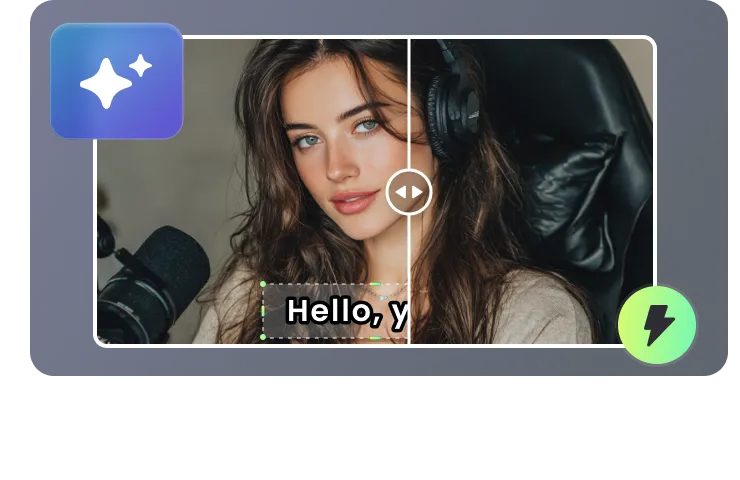
Our advanced AI doesn‘t just erase text—it smartly analyzes and reconstructs the background pixel by pixel. No blurry patches, no artifacts, just perfectly clean video that looks untouched.
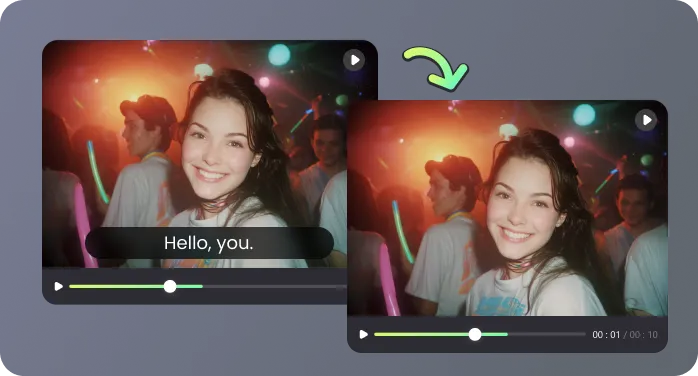
Our online tool lets you remove subtitles from video instantly, directly within your browser. Forget bulky software—upload and erase subtitles in seconds, with no installation or learning required. Get a clean video faster than ever.
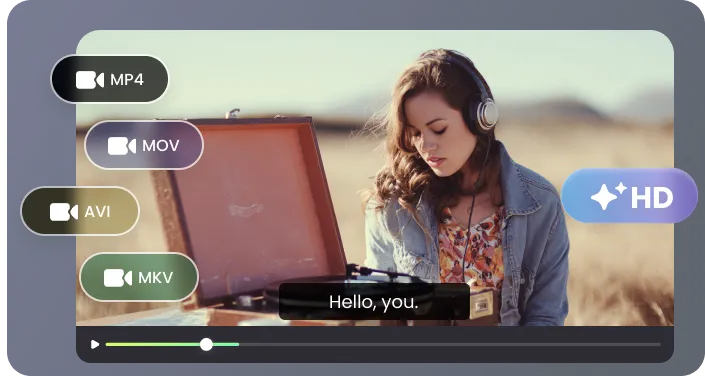
Remove subtitles from virtually any video file. We fully support MP4, MOV, MKV, WMV, and more. Simply upload your source video, and we'll deliver a polished, subtitle-free MP4 ready for any platform or use.
Your content's safety is paramount. We use secure, encrypted processing for all videos. Your original files and processed outputs are never shared with any third party, guaranteeing your complete privacy.
| Subtitle Type | Description | Can Be Turned Off | Difficulty to Remove |
|---|---|---|---|
| Hardcoded (Burned-in) | Subtitles are permanently on the video and cannot be turned off. |  No No |  High High |
| Embedded | Subtitles are part of the video file but can usually be toggled on/off. | Yes | Low |
| Soft | Subtitles that can be turned on/off, often as external files like SRT. | Yes | Low |
Remove unwanted subtitles to unlock professional, versatile video files perfect for editing, social media, and archiving.

I run a niche documentary channel and often need to reuse clips from various sources. Manually blurring subtitles was a nightmare. RecCloud's remover is a lifesaver. It cleanly removes subtitles from video in minutes, letting me focus on storytelling.

As a freelance video editor, I need tools that are both fast and flawless for client work. RecCloud delivers every time—it removes hardcoded subtitles cleanly and reliably, letting me focus on the creative edit instead of tedious cleanup. A must-have for serious professionals.

I'm a language tutor and create custom learning materials. I needed to remove English subtitles from video clips to challenge my students. This tool is so simple and gives me perfect, clean videos every single time.

I edit gaming highlight reels. Embedded subtitles from stream overlays often ruin the look. RecCloud's precise removal lets me erase just the text I don't want, keeping the rest of the HUD intact. It's become an essential part of my workflow.

Everything you need to know about removing subtitles with RecCloud.

