
'%20stroke-opacity='0.2'%20stroke-width='2'/%3e%3cpath%20d='M3.11592%2019.2884C1.75802%2014.0938%204.86823%208.78202%2010.0628%207.42412L31.7476%201.75552C33.7413%201.23434%2035.8588%201.49254%2037.6689%202.47756L45.1886%206.5697C47.5462%207.85267%2049.2684%2010.0533%2049.9473%2012.6501L57.5913%2041.8917C58.9492%2047.0862%2055.839%2052.398%2050.6444%2053.7559L23.9954%2060.7222C18.8008%2062.0801%2013.489%2058.9699%2012.1311%2053.7754L3.11592%2019.2884Z'%20stroke='url(%23paint1_linear_54018_1330)'%20stroke-width='4'/%3e%3cpath%20d='M3.1208%2019.2884C1.7629%2014.0938%204.87311%208.78202%2010.0677%207.42412L31.7524%201.75552C33.7462%201.23434%2035.8636%201.49254%2037.6737%202.47756L45.1935%206.5697C47.5511%207.85267%2049.2733%2010.0533%2049.9522%2012.6501L57.5962%2041.8917C58.9541%2047.0862%2055.8439%2052.398%2050.6493%2053.7559L24.0002%2060.7222C18.8057%2062.0801%2013.4939%2058.9699%2012.136%2053.7754L3.1208%2019.2884Z'%20fill='%235B5B5B'/%3e%3cpath%20d='M31.7516%201.75597C33.7454%201.23478%2035.8633%201.49203%2037.6734%202.47705L45.1931%206.5696C47.505%207.82776%2049.2028%209.96938%2049.9079%2012.5007L41.6862%2014.6499C38.2233%2015.5551%2034.6819%2013.4821%2033.7765%2010.0193L31.625%201.78906L31.7516%201.75597Z'%20fill='%23CEFFD2'%20fill-opacity='0.3'/%3e%3cpath%20d='M38.6744%2029.5512C40.6539%2030.0946%2041.3029%2032.5771%2039.8425%2034.0198L31.0802%2042.6757C29.6198%2044.1184%2027.1453%2043.4391%2026.6261%2041.4531L23.5111%2029.5367C22.9919%2027.5506%2024.8174%2025.7473%2026.7969%2026.2907L38.6744%2029.5512Z'%20fill='url(%23paint2_linear_54018_1330)'/%3e%3cdefs%3e%3clinearGradient%20id='paint0_linear_54018_1330'%20x1='14.2197'%20y1='34.6499'%20x2='62.8873'%20y2='40.1141'%20gradientUnits='userSpaceOnUse'%3e%3cstop%20stop-color='%23D6FB72'/%3e%3cstop%20offset='1'%20stop-color='%2376F9B1'/%3e%3c/linearGradient%3e%3clinearGradient%20id='paint1_linear_54018_1330'%20x1='7.62353'%20y1='36.5319'%20x2='55.4562'%20y2='29.4896'%20gradientUnits='userSpaceOnUse'%3e%3cstop%20stop-color='%23D6FB72'/%3e%3cstop%20offset='1'%20stop-color='%2376F9B1'/%3e%3c/linearGradient%3e%3clinearGradient%20id='paint2_linear_54018_1330'%20x1='30.5755'%20y1='24.9296'%20x2='32.6408'%20y2='42.908'%20gradientUnits='userSpaceOnUse'%3e%3cstop%20stop-color='%23D6FB72'/%3e%3cstop%20offset='1'%20stop-color='%2376F9B1'/%3e%3c/linearGradient%3e%3c/defs%3e%3c/svg%3e)
Drag and Drop files to upload or
'%20stroke='%232D2D33'%20stroke-width='3'/%3e%3cpath%20d='M9.86621%2012.8366L13.9744%208.91127L18.1435%2012.8976M13.8403%209.92308L13.9134%2019.0781'%20stroke='%232D2D33'%20stroke-width='3'%20stroke-linecap='round'%20stroke-linejoin='round'/%3e%3c/svg%3e) Browse
BrowseFrom upload to export, the focus is on getting readable subtitles onto your video.
Upload Video
Start with an existing video file. Drag and drop your MP4, MOV, or AVI file into the workspace.
Generate Subtitles
Captions are created line by line based on speech. Review text, timing, and line breaks directly on the video.
Export Video
Download the video with subtitles applied, or export a subtitle file if you need it separately.
More than a basic tool—features built for how you actually work.
Handles real-world recordings with multiple speakers, background noise, and overlapping dialogue. The system identifies who is speaking and when, so you can create accurate captions for interviews, meetings, and podcasts without endless manual cuts.
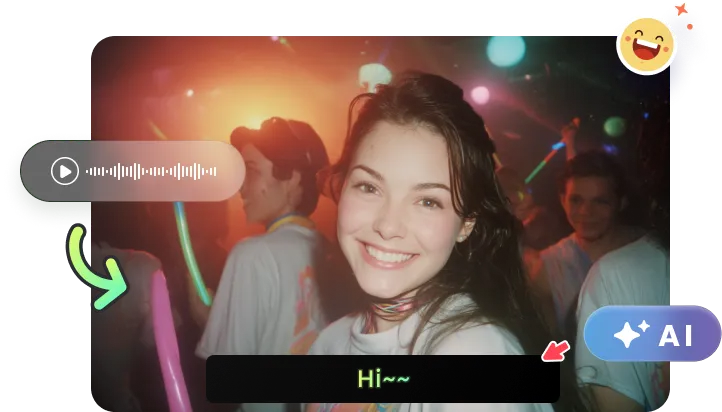
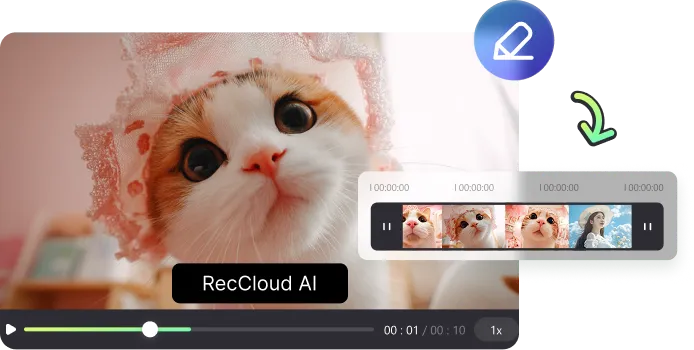
Adjust text and timing together on a single screen. Sync captions precisely with fast-paced dialogue or visual cues by watching the video and editing simultaneously, eliminating the need to switch between separate tools.
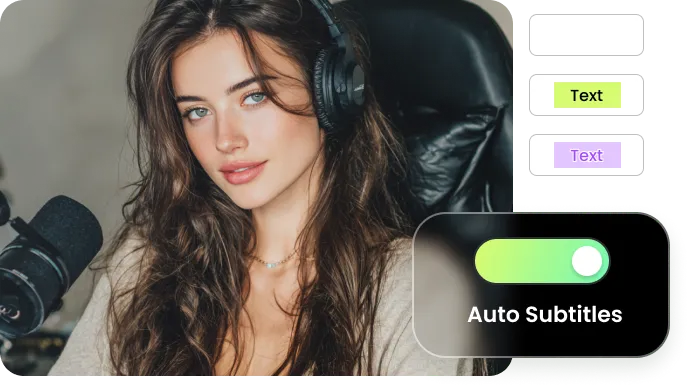
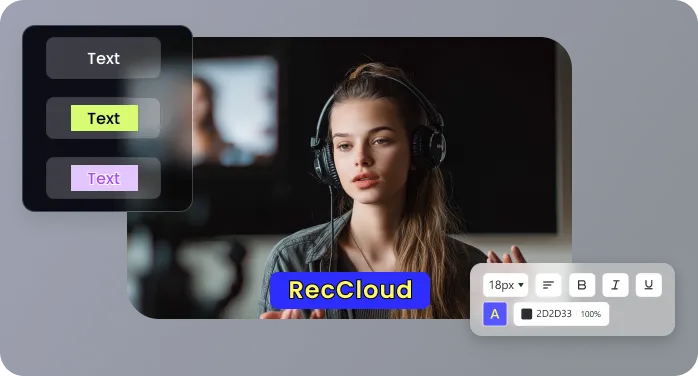
Customize fonts, colors, and positions to match your visual identity. Save style presets to apply consistent, professional-looking captions across all your videos, from social clips to formal presentations.
Download your finished video in its original quality. Your file is free of watermarks, logos, and unnecessary compression, delivered ready to publish on any platform while meeting professional standards.
Generate captions that follow the natural flow of conversation. Sentences break where people pause, making them easier to read at a glance—so viewers can follow along without stopping the video.
See how captions make your content work harder in everyday situations.

Running a parenting vlog means filming in unpredictable environments—kids talking over each other, background noise, fast-paced conversations. I need subtitles that can keep up. RecCloud handles overlapping dialogue naturally and lets me adjust timing visually, so I can make sure every funny moment and important point gets captured accurately in text.

For my home workshop channel, viewers often watch with tools running in the background. Clear subtitles are essential. What I appreciate about RecCloud is how I can sync captions frame-by-frame while watching the video play—it makes timing with fast-paced demonstrations incredibly precise and has cut my editing time nearly in half.

Creating accessible math tutorials requires absolute clarity. Captions need to appear right when I'm writing equations, not seconds later. The visual timeline in RecCloud lets me place text exactly where it needs to be, and saving my caption style as a preset keeps all my course videos looking consistently professional without starting over each time.

We produce weekly LinkedIn clips for our tech company. Before RecCloud, we'd often skip subtitles because it was too time-consuming. Now we have a consistent process: upload, generate, adjust, export. Our video completion rates have doubled since making subtitles a standard step with RecCloud, and we're reaching colleagues in open offices who couldn't watch with sound before.

Answers to common questions about putting subtitles on videos.

