
'%20stroke-opacity='0.2'%20stroke-width='2'/%3e%3cpath%20d='M3.11592%2019.2884C1.75802%2014.0938%204.86823%208.78202%2010.0628%207.42412L31.7476%201.75552C33.7413%201.23434%2035.8588%201.49254%2037.6689%202.47756L45.1886%206.5697C47.5462%207.85267%2049.2684%2010.0533%2049.9473%2012.6501L57.5913%2041.8917C58.9492%2047.0862%2055.839%2052.398%2050.6444%2053.7559L23.9954%2060.7222C18.8008%2062.0801%2013.489%2058.9699%2012.1311%2053.7754L3.11592%2019.2884Z'%20stroke='url(%23paint1_linear_54018_1330)'%20stroke-width='4'/%3e%3cpath%20d='M3.1208%2019.2884C1.7629%2014.0938%204.87311%208.78202%2010.0677%207.42412L31.7524%201.75552C33.7462%201.23434%2035.8636%201.49254%2037.6737%202.47756L45.1935%206.5697C47.5511%207.85267%2049.2733%2010.0533%2049.9522%2012.6501L57.5962%2041.8917C58.9541%2047.0862%2055.8439%2052.398%2050.6493%2053.7559L24.0002%2060.7222C18.8057%2062.0801%2013.4939%2058.9699%2012.136%2053.7754L3.1208%2019.2884Z'%20fill='%235B5B5B'/%3e%3cpath%20d='M31.7516%201.75597C33.7454%201.23478%2035.8633%201.49203%2037.6734%202.47705L45.1931%206.5696C47.505%207.82776%2049.2028%209.96938%2049.9079%2012.5007L41.6862%2014.6499C38.2233%2015.5551%2034.6819%2013.4821%2033.7765%2010.0193L31.625%201.78906L31.7516%201.75597Z'%20fill='%23CEFFD2'%20fill-opacity='0.3'/%3e%3cpath%20d='M38.6744%2029.5512C40.6539%2030.0946%2041.3029%2032.5771%2039.8425%2034.0198L31.0802%2042.6757C29.6198%2044.1184%2027.1453%2043.4391%2026.6261%2041.4531L23.5111%2029.5367C22.9919%2027.5506%2024.8174%2025.7473%2026.7969%2026.2907L38.6744%2029.5512Z'%20fill='url(%23paint2_linear_54018_1330)'/%3e%3cdefs%3e%3clinearGradient%20id='paint0_linear_54018_1330'%20x1='14.2197'%20y1='34.6499'%20x2='62.8873'%20y2='40.1141'%20gradientUnits='userSpaceOnUse'%3e%3cstop%20stop-color='%23D6FB72'/%3e%3cstop%20offset='1'%20stop-color='%2376F9B1'/%3e%3c/linearGradient%3e%3clinearGradient%20id='paint1_linear_54018_1330'%20x1='7.62353'%20y1='36.5319'%20x2='55.4562'%20y2='29.4896'%20gradientUnits='userSpaceOnUse'%3e%3cstop%20stop-color='%23D6FB72'/%3e%3cstop%20offset='1'%20stop-color='%2376F9B1'/%3e%3c/linearGradient%3e%3clinearGradient%20id='paint2_linear_54018_1330'%20x1='30.5755'%20y1='24.9296'%20x2='32.6408'%20y2='42.908'%20gradientUnits='userSpaceOnUse'%3e%3cstop%20stop-color='%23D6FB72'/%3e%3cstop%20offset='1'%20stop-color='%2376F9B1'/%3e%3c/linearGradient%3e%3c/defs%3e%3c/svg%3e)
Drag and Drop files to upload or
'%20stroke='%232D2D33'%20stroke-width='3'/%3e%3cpath%20d='M9.86621%2012.8366L13.9744%208.91127L18.1435%2012.8976M13.8403%209.92308L13.9134%2019.0781'%20stroke='%232D2D33'%20stroke-width='3'%20stroke-linecap='round'%20stroke-linejoin='round'/%3e%3c/svg%3e) Browse
BrowseNo video editing experience needed—just pick your file and download the text
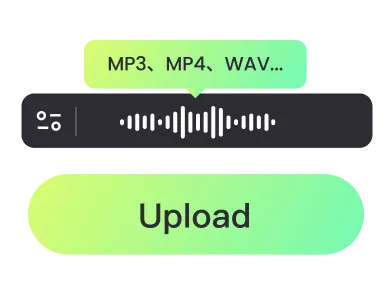
Upload MKV
Choose your MKV video file. The extractor reads embedded subtitles and prepares them for SRT export.

Select Export
Decide whether to export subtitles as an SRT file or copy them for immediate use in your workflow.

Download SRT
Save the SRT file directly to your device or integrate it into your editing and translation projects.
Focused on delivering clean, usable SRT text without extra steps
Extract SRT subtitles with frame-accurate timing and correct text formatting, including line breaks and punctuation. The files are ready for direct use in video editing, translation software, or subtitling platforms without additional adjustment.
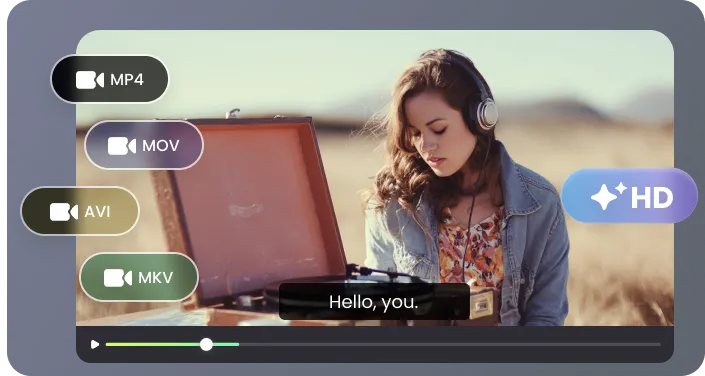
Designed specifically for MKV files, the tool reliably reads embedded subtitle tracks, even in videos with multiple languages or complex, multi-track setups. It preserves all original text and timing, avoiding missing lines or misaligned captions.
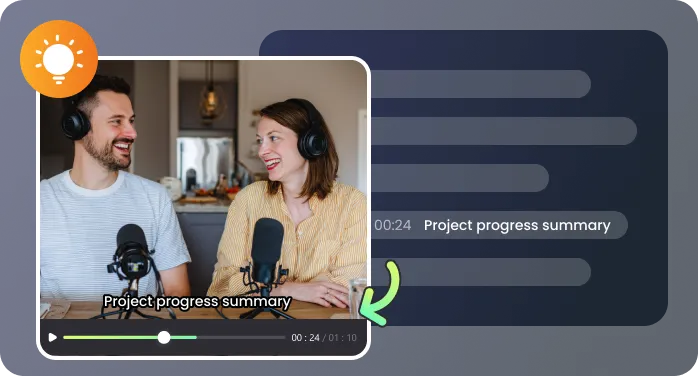
Generate SRT files in just minutes, whether it’s a short clip, a full-length movie, or a long lecture recording. The extractor efficiently handles video processing, letting you move on to editing, translation, or review without delays.

Subtitles can be exported as SRT files for direct use, or copied for immediate integration into translation tools, video editors, or other subtitle workflows. This flexibility allows you to adapt the output to your exact project needs.
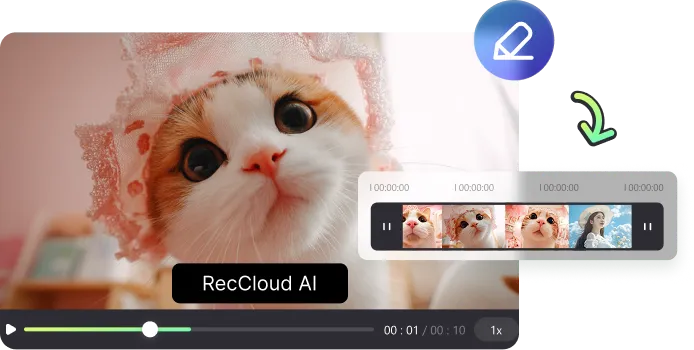
The intuitive interface guides you step by step, so anyone can extract SRT files without installing software or writing commands. Advanced options are available for power users who need to select specific tracks or customize timing settings.

Practical ways to use SRT files from your MKV videos

Extracting SRT files from my lecture videos saved me hours of manual work. I could separate different speakers, adjust timing precisely, and directly import the files into my course management system. It made preparing study materials and creating subtitles for students much faster and more accurate.

I use this tool to export SRT from MKV for all my translation projects. It handled multi-language tracks flawlessly, maintained exact timing, and allowed me to instantly import the SRT files into my CAT software. The accuracy and reliability significantly improved my translation workflow.

For my language learning apps, exporting SRT from MKV videos allows me to highlight phrases, create flashcards, and sync listening exercises with text. The process is simple, fast, and consistent, which saves me a lot of time compared to manually transcribing dialogues.

It worked perfectly with my MKV movie collection, including older films with multiple subtitle tracks. I could export exactly the SRT files I needed, adjust formatting for different players, and integrate them directly into video editing software to create new subtitle overlays without extra conversion steps.

Common questions about extracting SRT from MKV

