
'%20stroke-opacity='0.2'%20stroke-width='2'/%3e%3cpath%20d='M3.11592%2019.2884C1.75802%2014.0938%204.86823%208.78202%2010.0628%207.42412L31.7476%201.75552C33.7413%201.23434%2035.8588%201.49254%2037.6689%202.47756L45.1886%206.5697C47.5462%207.85267%2049.2684%2010.0533%2049.9473%2012.6501L57.5913%2041.8917C58.9492%2047.0862%2055.839%2052.398%2050.6444%2053.7559L23.9954%2060.7222C18.8008%2062.0801%2013.489%2058.9699%2012.1311%2053.7754L3.11592%2019.2884Z'%20stroke='url(%23paint1_linear_54018_1330)'%20stroke-width='4'/%3e%3cpath%20d='M3.1208%2019.2884C1.7629%2014.0938%204.87311%208.78202%2010.0677%207.42412L31.7524%201.75552C33.7462%201.23434%2035.8636%201.49254%2037.6737%202.47756L45.1935%206.5697C47.5511%207.85267%2049.2733%2010.0533%2049.9522%2012.6501L57.5962%2041.8917C58.9541%2047.0862%2055.8439%2052.398%2050.6493%2053.7559L24.0002%2060.7222C18.8057%2062.0801%2013.4939%2058.9699%2012.136%2053.7754L3.1208%2019.2884Z'%20fill='%235B5B5B'/%3e%3cpath%20d='M31.7516%201.75597C33.7454%201.23478%2035.8633%201.49203%2037.6734%202.47705L45.1931%206.5696C47.505%207.82776%2049.2028%209.96938%2049.9079%2012.5007L41.6862%2014.6499C38.2233%2015.5551%2034.6819%2013.4821%2033.7765%2010.0193L31.625%201.78906L31.7516%201.75597Z'%20fill='%23CEFFD2'%20fill-opacity='0.3'/%3e%3cpath%20d='M38.6744%2029.5512C40.6539%2030.0946%2041.3029%2032.5771%2039.8425%2034.0198L31.0802%2042.6757C29.6198%2044.1184%2027.1453%2043.4391%2026.6261%2041.4531L23.5111%2029.5367C22.9919%2027.5506%2024.8174%2025.7473%2026.7969%2026.2907L38.6744%2029.5512Z'%20fill='url(%23paint2_linear_54018_1330)'/%3e%3cdefs%3e%3clinearGradient%20id='paint0_linear_54018_1330'%20x1='14.2197'%20y1='34.6499'%20x2='62.8873'%20y2='40.1141'%20gradientUnits='userSpaceOnUse'%3e%3cstop%20stop-color='%23D6FB72'/%3e%3cstop%20offset='1'%20stop-color='%2376F9B1'/%3e%3c/linearGradient%3e%3clinearGradient%20id='paint1_linear_54018_1330'%20x1='7.62353'%20y1='36.5319'%20x2='55.4562'%20y2='29.4896'%20gradientUnits='userSpaceOnUse'%3e%3cstop%20stop-color='%23D6FB72'/%3e%3cstop%20offset='1'%20stop-color='%2376F9B1'/%3e%3c/linearGradient%3e%3clinearGradient%20id='paint2_linear_54018_1330'%20x1='30.5755'%20y1='24.9296'%20x2='32.6408'%20y2='42.908'%20gradientUnits='userSpaceOnUse'%3e%3cstop%20stop-color='%23D6FB72'/%3e%3cstop%20offset='1'%20stop-color='%2376F9B1'/%3e%3c/linearGradient%3e%3c/defs%3e%3c/svg%3e)
Drag and Drop files to upload or
'%20stroke='%232D2D33'%20stroke-width='3'/%3e%3cpath%20d='M9.86621%2012.8366L13.9744%208.91127L18.1435%2012.8976M13.8403%209.92308L13.9134%2019.0781'%20stroke='%232D2D33'%20stroke-width='3'%20stroke-linecap='round'%20stroke-linejoin='round'/%3e%3c/svg%3e) Browse
BrowseExtracting subtitles from MKV files in three simple steps
Upload MKV
Select the MKV video file from your device. The extractor supports both single and multiple files.

Choose Format
Pick your desired subtitle format, such as SRT, to match your editing or viewing needs.

Download Subtitles
Save the extracted subtitles directly to your device and start using them immediately.
MKV subtitle extraction made precise and user-friendly
The extractor captures every embedded subtitle with precise timing and correct formatting, including multi-language tracks, ensuring no text is missed or misaligned compared to the video.
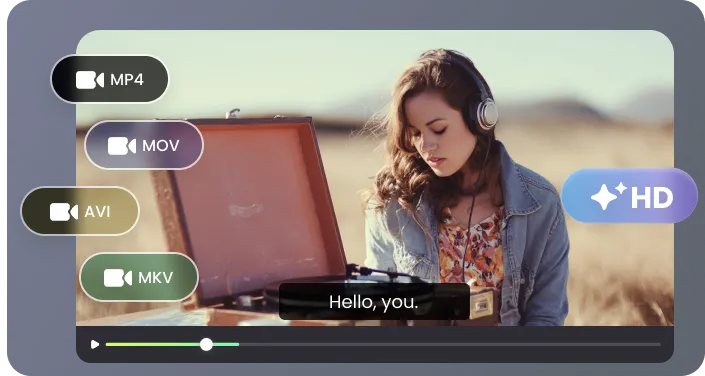
Built specifically for MKV files, it handles complex, multi-track videos and embedded subtitles reliably, preserving all original content while preventing data loss.
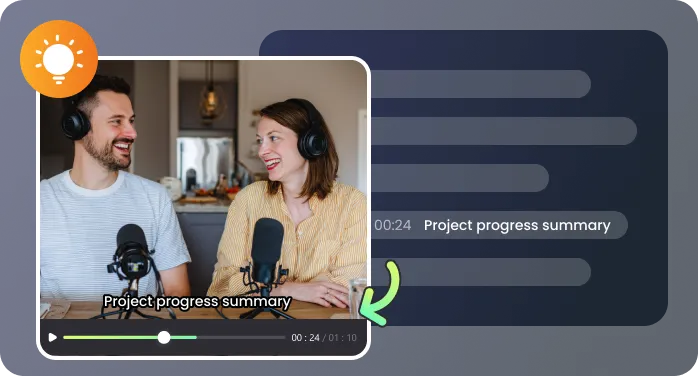
Process MKV files efficiently in minutes, whether for long lectures, movies, or personal video archives, so you can start editing, translating, or reviewing without delays.

Designed for both beginners and professionals, the interface makes extracting MKV subtitles straightforward, requiring no installation, scripting, or technical setup, while still offering advanced options if needed.
Practical ways to utilize extracted subtitles for work or personal projects

The MKV subtitle extractor helped me pull subtitles from a batch of lecture videos. I was able to separate different speakers’ lines and adjust timing easily, which saved me hours of manual work when preparing course materials.

I rely on this tool to extract MKV subtitles quickly for my translation projects. It handled multi-language subtitles without errors, and I could immediately import the SRT files into my translation software. The accuracy made my workflow much smoother.

Extracting subtitles from MKV movies for my language learning apps is now simple and reliable with this tool. I can highlight phrases, make flashcards, and practice listening along with text, all directly from the extracted SRT files.

It works flawlessly with all my MKV archives, including old movies and TV series with multiple subtitle tracks. I could export exactly the subtitles I needed, adjust the formatting, and integrate them into my editing software without additional conversion steps.

Common questions about extracting MKV subtitles

