
'/%3e%3cpath%20d='M6.09082%200.541992C6.30173%200.567921%206.50319%200.684808%206.62695%200.892578L7.90625%203.03809C8.11622%203.38993%208.57563%203.50073%208.92188%203.28223L10.2803%202.42578C10.775%202.11331%2011.3887%202.48047%2011.4004%203.02051V3.05176C11.3993%203.10116%2011.3932%203.15167%2011.3818%203.20312L10.3643%207.21777C10.2424%207.75962%209.7618%208.14453%209.20703%208.14453H6V0.536133L6.09082%200.541992Z'%20fill='%23FF883F'%20fill-opacity='0.7'/%3e%3cdefs%3e%3clinearGradient%20id='paint0_linear_55383_6832'%20x1='0.600098'%20y1='4.34016'%20x2='8.39667'%20y2='9.17921'%20gradientUnits='userSpaceOnUse'%3e%3cstop%20stop-color='%23FFE4BC'/%3e%3cstop%20offset='1'%20stop-color='%23FFBF69'/%3e%3c/linearGradient%3e%3c/defs%3e%3c/svg%3e)
'%20stroke-opacity='0.2'%20stroke-width='2'/%3e%3cpath%20d='M3.11592%2019.2884C1.75802%2014.0938%204.86823%208.78202%2010.0628%207.42412L31.7476%201.75552C33.7413%201.23434%2035.8588%201.49254%2037.6689%202.47756L45.1886%206.5697C47.5462%207.85267%2049.2684%2010.0533%2049.9473%2012.6501L57.5913%2041.8917C58.9492%2047.0862%2055.839%2052.398%2050.6444%2053.7559L23.9954%2060.7222C18.8008%2062.0801%2013.489%2058.9699%2012.1311%2053.7754L3.11592%2019.2884Z'%20stroke='url(%23paint1_linear_54018_1330)'%20stroke-width='4'/%3e%3cpath%20d='M3.1208%2019.2884C1.7629%2014.0938%204.87311%208.78202%2010.0677%207.42412L31.7524%201.75552C33.7462%201.23434%2035.8636%201.49254%2037.6737%202.47756L45.1935%206.5697C47.5511%207.85267%2049.2733%2010.0533%2049.9522%2012.6501L57.5962%2041.8917C58.9541%2047.0862%2055.8439%2052.398%2050.6493%2053.7559L24.0002%2060.7222C18.8057%2062.0801%2013.4939%2058.9699%2012.136%2053.7754L3.1208%2019.2884Z'%20fill='%235B5B5B'/%3e%3cpath%20d='M31.7516%201.75597C33.7454%201.23478%2035.8633%201.49203%2037.6734%202.47705L45.1931%206.5696C47.505%207.82776%2049.2028%209.96938%2049.9079%2012.5007L41.6862%2014.6499C38.2233%2015.5551%2034.6819%2013.4821%2033.7765%2010.0193L31.625%201.78906L31.7516%201.75597Z'%20fill='%23CEFFD2'%20fill-opacity='0.3'/%3e%3cpath%20d='M38.6744%2029.5512C40.6539%2030.0946%2041.3029%2032.5771%2039.8425%2034.0198L31.0802%2042.6757C29.6198%2044.1184%2027.1453%2043.4391%2026.6261%2041.4531L23.5111%2029.5367C22.9919%2027.5506%2024.8174%2025.7473%2026.7969%2026.2907L38.6744%2029.5512Z'%20fill='url(%23paint2_linear_54018_1330)'/%3e%3cdefs%3e%3clinearGradient%20id='paint0_linear_54018_1330'%20x1='14.2197'%20y1='34.6499'%20x2='62.8873'%20y2='40.1141'%20gradientUnits='userSpaceOnUse'%3e%3cstop%20stop-color='%23D6FB72'/%3e%3cstop%20offset='1'%20stop-color='%2376F9B1'/%3e%3c/linearGradient%3e%3clinearGradient%20id='paint1_linear_54018_1330'%20x1='7.62353'%20y1='36.5319'%20x2='55.4562'%20y2='29.4896'%20gradientUnits='userSpaceOnUse'%3e%3cstop%20stop-color='%23D6FB72'/%3e%3cstop%20offset='1'%20stop-color='%2376F9B1'/%3e%3c/linearGradient%3e%3clinearGradient%20id='paint2_linear_54018_1330'%20x1='30.5755'%20y1='24.9296'%20x2='32.6408'%20y2='42.908'%20gradientUnits='userSpaceOnUse'%3e%3cstop%20stop-color='%23D6FB72'/%3e%3cstop%20offset='1'%20stop-color='%2376F9B1'/%3e%3c/linearGradient%3e%3c/defs%3e%3c/svg%3e)
Drag and Drop files to upload or
'%20stroke='%232D2D33'%20stroke-width='3'/%3e%3cpath%20d='M9.86621%2012.8366L13.9744%208.91127L18.1435%2012.8976M13.8403%209.92308L13.9134%2019.0781'%20stroke='%232D2D33'%20stroke-width='3'%20stroke-linecap='round'%20stroke-linejoin='round'/%3e%3c/svg%3e) Browse
BrowseNo editing skills needed. Just three steps to a cleaner video.
Upload Video
Import the clip that contains emojis, stickers, or reaction overlays. RecCloud detects the video track and prepares it for emoji removal.
Mark Emoji Area
Select the region where the emoji appears. Whether it’s covering a face, text, or background detail, define the area you want restored.

Export Clean Clip
Process and download your video with the emoji removed. The background is reconstructed so the edit doesn’t look patched.
Built for videos where emojis block what matters.
When an emoji covers a face, product label, subtitle, or license plate, our emoji remover from video reconstructs the covered area so the original content becomes usable again.
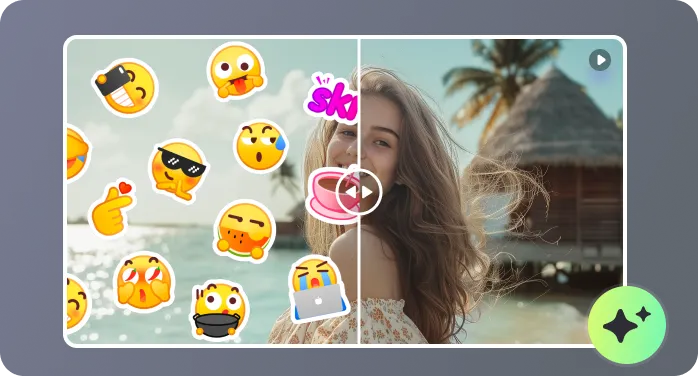
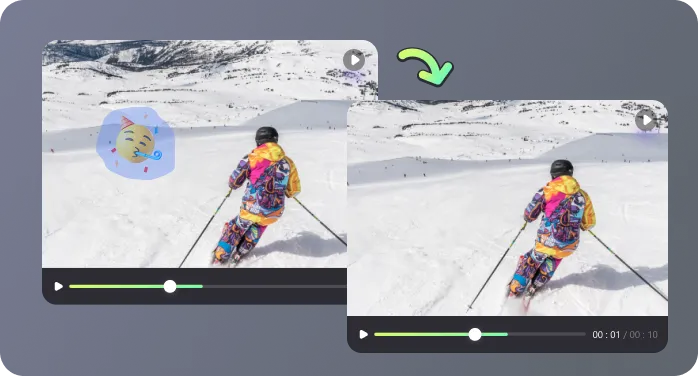
Many tools leave visible blur patches. RecCloud analyzes surrounding frames so when you remove emojis from videos, the background movement, lighting, and texture remain consistent instead of frozen or smudged.
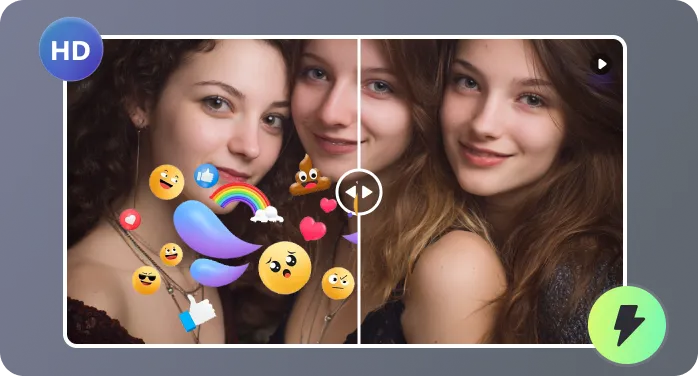
You don’t need the original project file. Upload a flattened video from social media and remove emoji from video directly, even if you no longer have the editing source or layered timeline.
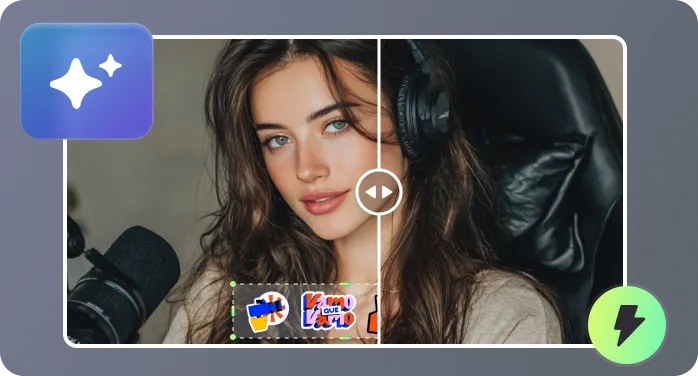
You’re removing something unwanted, not replacing it with a logo. After you remove emoji from video, the exported file stays clean, with no RecCloud watermark or added branding.
Real-world cases where users search how to remove emojis from videos.

I had to remove emoji from video clips that were already published on Instagram. The original project files were gone, and trying to redo the edits manually would have taken hours. Using RecCloud, I could select the emoji areas, process the clips, and have clean, repostable footage within minutes. It saved me a huge amount of time and hassle.

A client sent me a flattened MP4 where several stickers were covering product labels and text overlays. Normally, I would have had to reshoot the scene, but the emoji remover from video allowed me to restore the visuals perfectly. The background looked natural, and I could deliver the updated video to the client without any extra production work.

I was searching for how to remove emojis from videos after my team added reaction icons over interview footage. Without this tool, the areas behind the emojis would have looked blurred or patched. RecCloud kept the motion, lighting, and background texture consistent, making the final edit look seamless and professional.

We archive webinars for long-term use, but decorative emojis added during live streams looked unprofessional when revisited a year later. Using RecCloud, removing the emojis was straightforward. It preserved slide text, presenter gestures, and background details without any noticeable edits, making the videos ready for corporate distribution or training purposes.

Answers to common questions before you remove emoji from video.

