
'/%3e%3cpath%20d='M6.09082%200.541992C6.30173%200.567921%206.50319%200.684808%206.62695%200.892578L7.90625%203.03809C8.11622%203.38993%208.57563%203.50073%208.92188%203.28223L10.2803%202.42578C10.775%202.11331%2011.3887%202.48047%2011.4004%203.02051V3.05176C11.3993%203.10116%2011.3932%203.15167%2011.3818%203.20312L10.3643%207.21777C10.2424%207.75962%209.7618%208.14453%209.20703%208.14453H6V0.536133L6.09082%200.541992Z'%20fill='%23FF883F'%20fill-opacity='0.7'/%3e%3cdefs%3e%3clinearGradient%20id='paint0_linear_55383_6832'%20x1='0.600098'%20y1='4.34016'%20x2='8.39667'%20y2='9.17921'%20gradientUnits='userSpaceOnUse'%3e%3cstop%20stop-color='%23FFE4BC'/%3e%3cstop%20offset='1'%20stop-color='%23FFBF69'/%3e%3c/linearGradient%3e%3c/defs%3e%3c/svg%3e)
'%20stroke-opacity='0.2'%20stroke-width='2'/%3e%3cpath%20d='M3.11592%2019.2884C1.75802%2014.0938%204.86823%208.78202%2010.0628%207.42412L31.7476%201.75552C33.7413%201.23434%2035.8588%201.49254%2037.6689%202.47756L45.1886%206.5697C47.5462%207.85267%2049.2684%2010.0533%2049.9473%2012.6501L57.5913%2041.8917C58.9492%2047.0862%2055.839%2052.398%2050.6444%2053.7559L23.9954%2060.7222C18.8008%2062.0801%2013.489%2058.9699%2012.1311%2053.7754L3.11592%2019.2884Z'%20stroke='url(%23paint1_linear_54018_1330)'%20stroke-width='4'/%3e%3cpath%20d='M3.1208%2019.2884C1.7629%2014.0938%204.87311%208.78202%2010.0677%207.42412L31.7524%201.75552C33.7462%201.23434%2035.8636%201.49254%2037.6737%202.47756L45.1935%206.5697C47.5511%207.85267%2049.2733%2010.0533%2049.9522%2012.6501L57.5962%2041.8917C58.9541%2047.0862%2055.8439%2052.398%2050.6493%2053.7559L24.0002%2060.7222C18.8057%2062.0801%2013.4939%2058.9699%2012.136%2053.7754L3.1208%2019.2884Z'%20fill='%235B5B5B'/%3e%3cpath%20d='M31.7516%201.75597C33.7454%201.23478%2035.8633%201.49203%2037.6734%202.47705L45.1931%206.5696C47.505%207.82776%2049.2028%209.96938%2049.9079%2012.5007L41.6862%2014.6499C38.2233%2015.5551%2034.6819%2013.4821%2033.7765%2010.0193L31.625%201.78906L31.7516%201.75597Z'%20fill='%23CEFFD2'%20fill-opacity='0.3'/%3e%3cpath%20d='M38.6744%2029.5512C40.6539%2030.0946%2041.3029%2032.5771%2039.8425%2034.0198L31.0802%2042.6757C29.6198%2044.1184%2027.1453%2043.4391%2026.6261%2041.4531L23.5111%2029.5367C22.9919%2027.5506%2024.8174%2025.7473%2026.7969%2026.2907L38.6744%2029.5512Z'%20fill='url(%23paint2_linear_54018_1330)'/%3e%3cdefs%3e%3clinearGradient%20id='paint0_linear_54018_1330'%20x1='14.2197'%20y1='34.6499'%20x2='62.8873'%20y2='40.1141'%20gradientUnits='userSpaceOnUse'%3e%3cstop%20stop-color='%23D6FB72'/%3e%3cstop%20offset='1'%20stop-color='%2376F9B1'/%3e%3c/linearGradient%3e%3clinearGradient%20id='paint1_linear_54018_1330'%20x1='7.62353'%20y1='36.5319'%20x2='55.4562'%20y2='29.4896'%20gradientUnits='userSpaceOnUse'%3e%3cstop%20stop-color='%23D6FB72'/%3e%3cstop%20offset='1'%20stop-color='%2376F9B1'/%3e%3c/linearGradient%3e%3clinearGradient%20id='paint2_linear_54018_1330'%20x1='30.5755'%20y1='24.9296'%20x2='32.6408'%20y2='42.908'%20gradientUnits='userSpaceOnUse'%3e%3cstop%20stop-color='%23D6FB72'/%3e%3cstop%20offset='1'%20stop-color='%2376F9B1'/%3e%3c/linearGradient%3e%3c/defs%3e%3c/svg%3e)
Drag and Drop files to upload or
'%20stroke='%232D2D33'%20stroke-width='3'/%3e%3cpath%20d='M9.86621%2012.8366L13.9744%208.91127L18.1435%2012.8976M13.8403%209.92308L13.9134%2019.0781'%20stroke='%232D2D33'%20stroke-width='3'%20stroke-linecap='round'%20stroke-linejoin='round'/%3e%3c/svg%3e) Browse
BrowseRemove things from video by selecting what to delete and exporting a new clip.
Upload Video
Upload the clip where you want to remove unwanted objects from video. We'll prepare it for editing.

Select Objects
Draw over the person, logo, watermark, or other element you want taken out of the scene.

Export Result
Get your cleaned video file with the object removed and the background realistically filled in.
Designed for real videos, not demos. Focused on practical object removal, not heavy video editing.
No need to re-cut your footage or reassemble your timeline. You can remove elements directly from the final video without altering the rest of the scene.
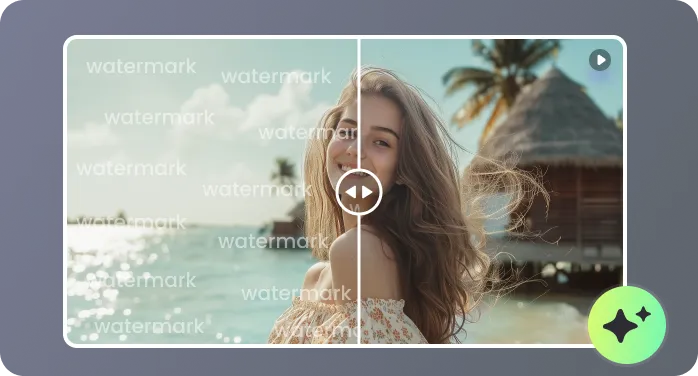
Whether the object is moving or the camera is panning, the removal adapts across frames to cleanly erase unwanted people, vehicles, or items in motion.
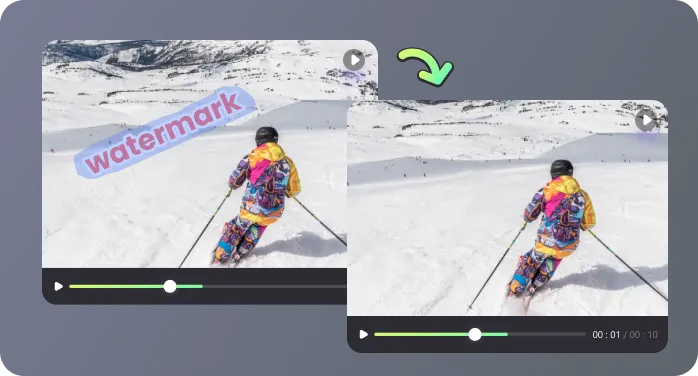
Using information from surrounding frames, the tool rebuilds the background so it matches the scene naturally, avoiding obvious patches or blur.
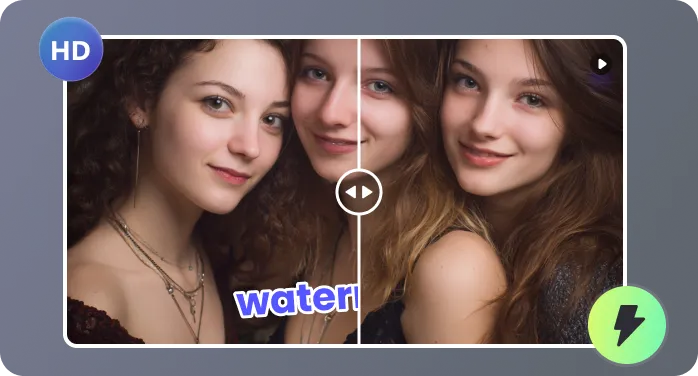
Choose to erase an object only from specific seconds where it appears, rather than the entire video length, giving you detailed control over the result.

Save time by using the same removal parameters—like brush size and tracking sensitivity—on several clips in one batch process.
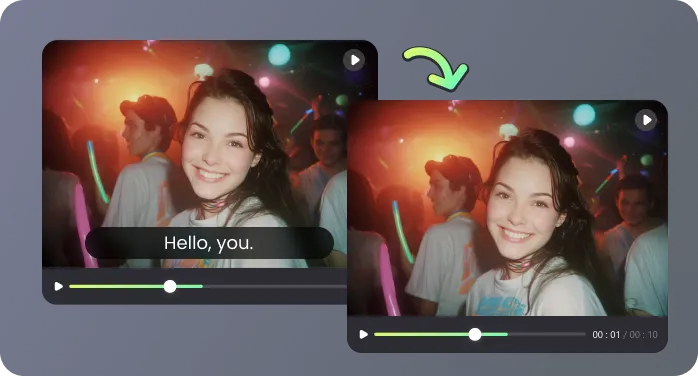
From personal clips to client work, solve common video editing challenges.

I was editing a travel video for a resort client when a delivery truck drove through the perfect sunset shot. I used RecCloud to remove it. The background reconstruction was so smooth, the client thought it was the original footage.

My security camera kept capturing my neighbor's porch light glare. Instead of repositioning the camera, I run the weekly clips through this tool to erase the light flare. It saves me hours of hardware adjustments.

RecCloud saved a long-term project for me—I needed to remove outdated branding from 20+ training videos. The batch processing let me apply the same removal across all files, and the quality held up perfectly on every export.

As a hobbyist filmmaker, I often shoot in public spaces. This tool lets me clean up my shots—removing a stray pedestrian or a modern street sign—so my historical short films look authentic. The frame-by-frame control is crucial for fine-tuning.

About removing objects from video in real-world situations.

