
'%20stroke-opacity='0.2'%20stroke-width='2'/%3e%3cpath%20d='M3.11592%2019.2884C1.75802%2014.0938%204.86823%208.78202%2010.0628%207.42412L31.7476%201.75552C33.7413%201.23434%2035.8588%201.49254%2037.6689%202.47756L45.1886%206.5697C47.5462%207.85267%2049.2684%2010.0533%2049.9473%2012.6501L57.5913%2041.8917C58.9492%2047.0862%2055.839%2052.398%2050.6444%2053.7559L23.9954%2060.7222C18.8008%2062.0801%2013.489%2058.9699%2012.1311%2053.7754L3.11592%2019.2884Z'%20stroke='url(%23paint1_linear_54018_1330)'%20stroke-width='4'/%3e%3cpath%20d='M3.1208%2019.2884C1.7629%2014.0938%204.87311%208.78202%2010.0677%207.42412L31.7524%201.75552C33.7462%201.23434%2035.8636%201.49254%2037.6737%202.47756L45.1935%206.5697C47.5511%207.85267%2049.2733%2010.0533%2049.9522%2012.6501L57.5962%2041.8917C58.9541%2047.0862%2055.8439%2052.398%2050.6493%2053.7559L24.0002%2060.7222C18.8057%2062.0801%2013.4939%2058.9699%2012.136%2053.7754L3.1208%2019.2884Z'%20fill='%235B5B5B'/%3e%3cpath%20d='M31.7516%201.75597C33.7454%201.23478%2035.8633%201.49203%2037.6734%202.47705L45.1931%206.5696C47.505%207.82776%2049.2028%209.96938%2049.9079%2012.5007L41.6862%2014.6499C38.2233%2015.5551%2034.6819%2013.4821%2033.7765%2010.0193L31.625%201.78906L31.7516%201.75597Z'%20fill='%23CEFFD2'%20fill-opacity='0.3'/%3e%3cpath%20d='M38.6744%2029.5512C40.6539%2030.0946%2041.3029%2032.5771%2039.8425%2034.0198L31.0802%2042.6757C29.6198%2044.1184%2027.1453%2043.4391%2026.6261%2041.4531L23.5111%2029.5367C22.9919%2027.5506%2024.8174%2025.7473%2026.7969%2026.2907L38.6744%2029.5512Z'%20fill='url(%23paint2_linear_54018_1330)'/%3e%3cdefs%3e%3clinearGradient%20id='paint0_linear_54018_1330'%20x1='14.2197'%20y1='34.6499'%20x2='62.8873'%20y2='40.1141'%20gradientUnits='userSpaceOnUse'%3e%3cstop%20stop-color='%23D6FB72'/%3e%3cstop%20offset='1'%20stop-color='%2376F9B1'/%3e%3c/linearGradient%3e%3clinearGradient%20id='paint1_linear_54018_1330'%20x1='7.62353'%20y1='36.5319'%20x2='55.4562'%20y2='29.4896'%20gradientUnits='userSpaceOnUse'%3e%3cstop%20stop-color='%23D6FB72'/%3e%3cstop%20offset='1'%20stop-color='%2376F9B1'/%3e%3c/linearGradient%3e%3clinearGradient%20id='paint2_linear_54018_1330'%20x1='30.5755'%20y1='24.9296'%20x2='32.6408'%20y2='42.908'%20gradientUnits='userSpaceOnUse'%3e%3cstop%20stop-color='%23D6FB72'/%3e%3cstop%20offset='1'%20stop-color='%2376F9B1'/%3e%3c/linearGradient%3e%3c/defs%3e%3c/svg%3e)
Drag and Drop files to upload or
'%20stroke='%232D2D33'%20stroke-width='3'/%3e%3cpath%20d='M9.86621%2012.8366L13.9744%208.91127L18.1435%2012.8976M13.8403%209.92308L13.9134%2019.0781'%20stroke='%232D2D33'%20stroke-width='3'%20stroke-linecap='round'%20stroke-linejoin='round'/%3e%3c/svg%3e) Browse
BrowseTransform video dialogue into an SRT file. Edit and sync with your project.
Upload media
Drop your video file. We transcribe the spoken dialogue to create the initial text for your subtitles.

Review and Edit
Check the automatically generated text, edit any words, and adjust punctuation for clarity.

Export SRT file
Download the finalized subtitle file with accurate timecodes, ready to use with your video player or editing software.
Focus on your content, not the typing
Our generator analyzes complete sentences, not just isolated words. This context reduces errors with similar-sounding words and correctly interprets industry terms from lectures or interviews, giving you a more accurate starting point for your SRT file.
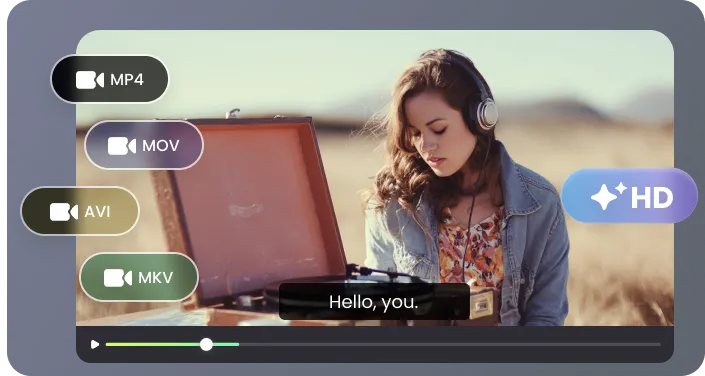
This srt subtitle generator creates readable subtitles by breaking lines at natural speech pauses, not in the middle of phrases. This results in SRT captions that are easier for your audience to follow on any video platform or player.
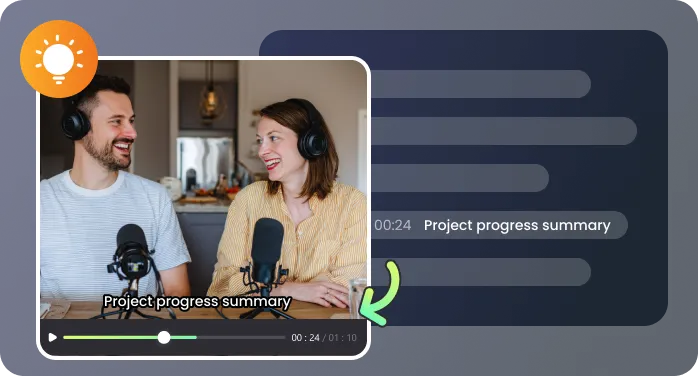
You have full control to review and edit the transcribed text and timing before any file is created. Make all your corrections upfront, ensuring the SRT file you download is ready to use immediately.
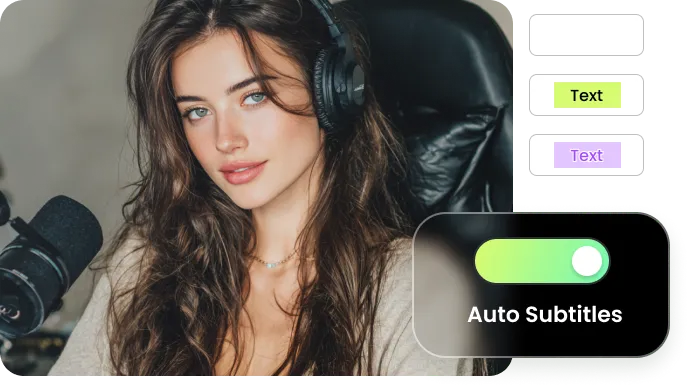
Click on any word in the transcript to instantly jump to that moment in your video. This direct playback sync makes fine-tuning subtitle timing and correcting spoken words fast and precise.
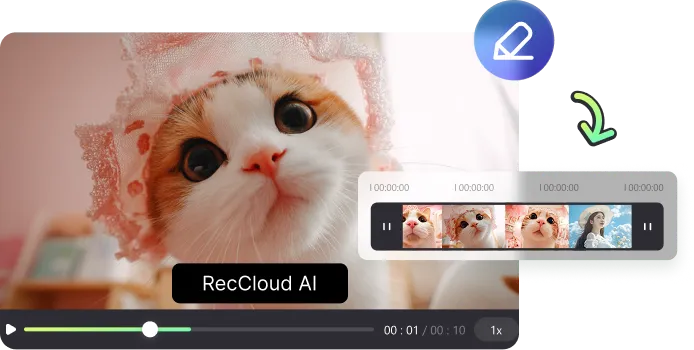
Receive a standard .srt subtitle file that works everywhere—compatible with YouTube, Vimeo, and all major video editing software. It’s a reusable text file, not locked-in or burned-in captions.
Not every caption tool gives you a usable SRT file — this one does

When I upload my lecture recordings, the transcript is about 99% accurate with technical terms. I spend my time refining explanations in the SRT, not typing from zero. It cuts my prep work in half.

For our documentary interviews, accurate transcription is the foundation. The generator captures the dialogue clearly, providing a single, cohesive transcript of the conversation. With this precise text in hand, my team can efficiently create the SRT file for subtitles and simultaneously extract key quotes for our edit script, all from one reliable source.

We record all our team meetings and use RecCloud to generate an SRT transcript draft. An assistant then quickly verifies project names and acronyms against the text. This lets us share a final, searchable transcript with the entire company by the end of the day, turning a routine recording into a valuable internal reference. It's now a fixed part of our meeting workflow.

For our devlog and feature promo videos, I record the voiceover while screen-sharing. I upload the video to RecCloud, and the generated transcript gives me a solid base for subtitles. I review it to fix a couple of technical jargon or casual slang, but the timing is already spot-on. In minutes, I have an SRT file ready to upload, making our content instantly accessible to our international audience and viewers who watch on mute.

Questions about creating SRT subtitle files

